What you get
An address like https://birthday.domain.daxbax.com with a certificate. The site runs at your place; switch the computer off and the link sleeps, switch it on and it is back. Changes — one message to the agent from your phone.
 DaxBax Cases
CASE 01 · NEO + TUNNEL + TELEGRAM · TESTED ON A REAL MAC
An AI agent lives on your ordinary computer — behind a router, with no public IP. You message it in Telegram, it builds a website, and DaxBax Tunnel publishes it on an HTTPS link. No VPS, no domain, no router setup. Below: real screens and the real time each step took.

An address like https://birthday.domain.daxbax.com with a certificate. The site runs at your place; switch the computer off and the link sleeps, switch it on and it is back. Changes — one message to the agent from your phone.
The whole path on our first run — about 25 minutes: connecting the Mac ~1 min (the Linux image was cached; from scratch it is 3–5 min), the agent and the Claude sign-in ~5 min, Telegram ~2 min, the website by the agent ~1 min, publishing — seconds.
Neo and Tunnel are free. The AI is your own Claude subscription (the same one you use for Claude Code). Data, keys and the site itself stay on your computer.
/newbot); you need the token once.Open neo.daxbax.com → Sign in → “No account? Create one”. Confirm your e-mail — and you are in an empty workspace. In Settings rename it as you like; in this case it is “Home Lab”.
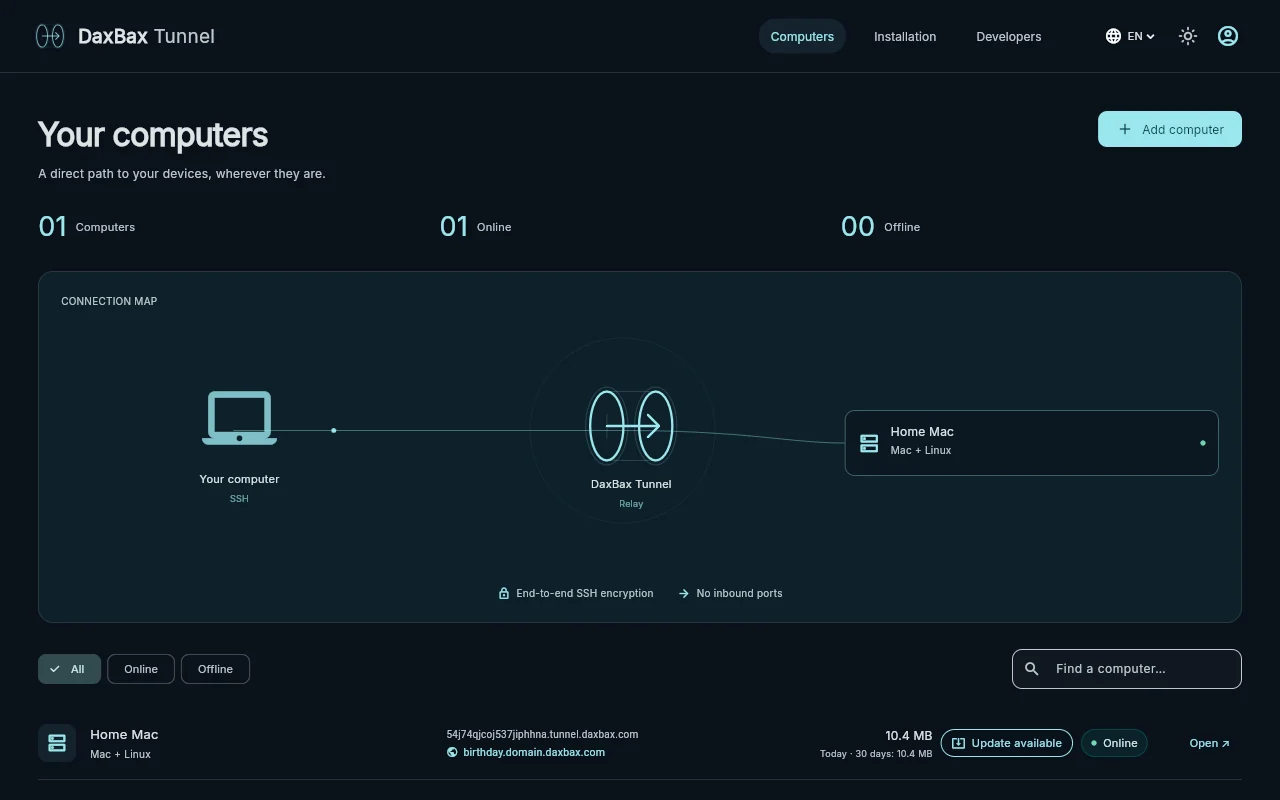
In Neo: Servers → Add a server → “No public address? Connect a computer through a tunnel”. A name (ours is “Home Mac”), system macOS, purpose For agents → Get the command. Neo shows a one-time command — it lives for 60 minutes and contains a registration code, so keep it private.
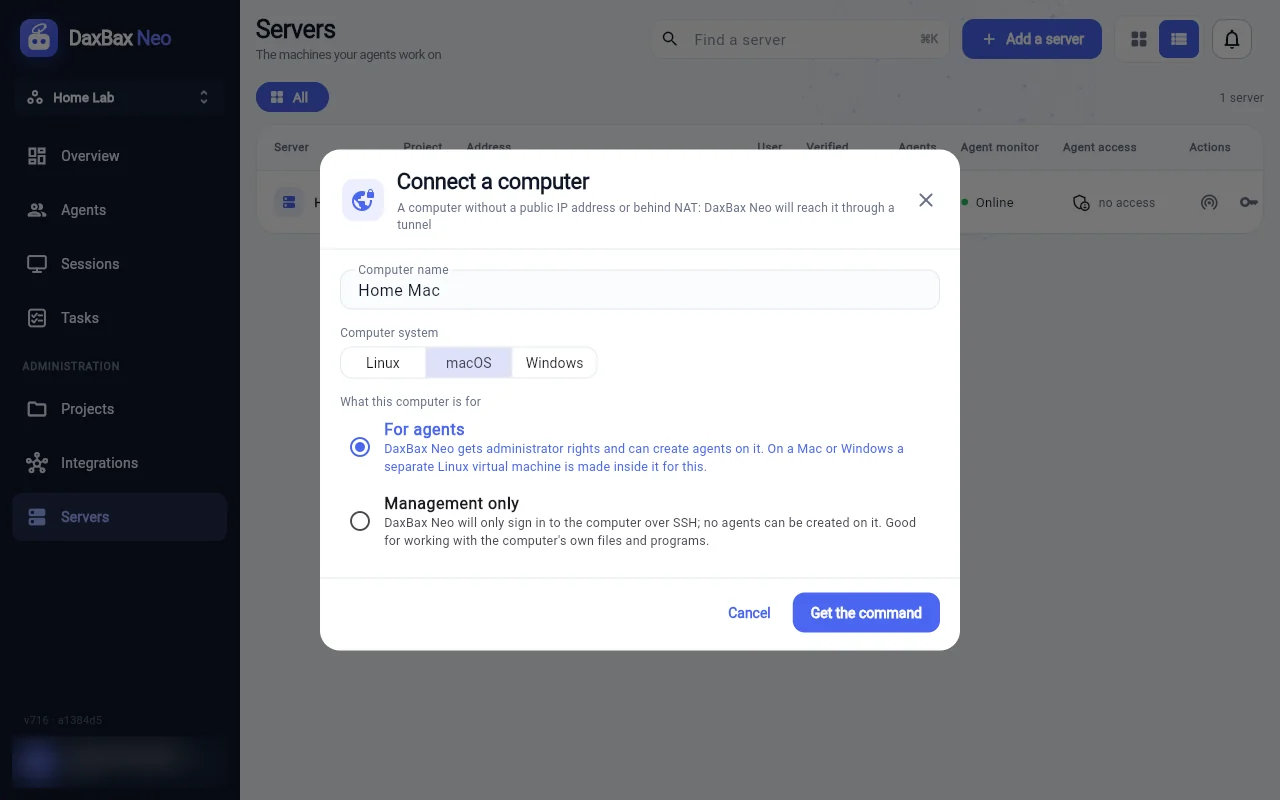
On the Mac — in Terminal, without sudo (on Linux the command is different and uses sudo; Neo shows the right one):
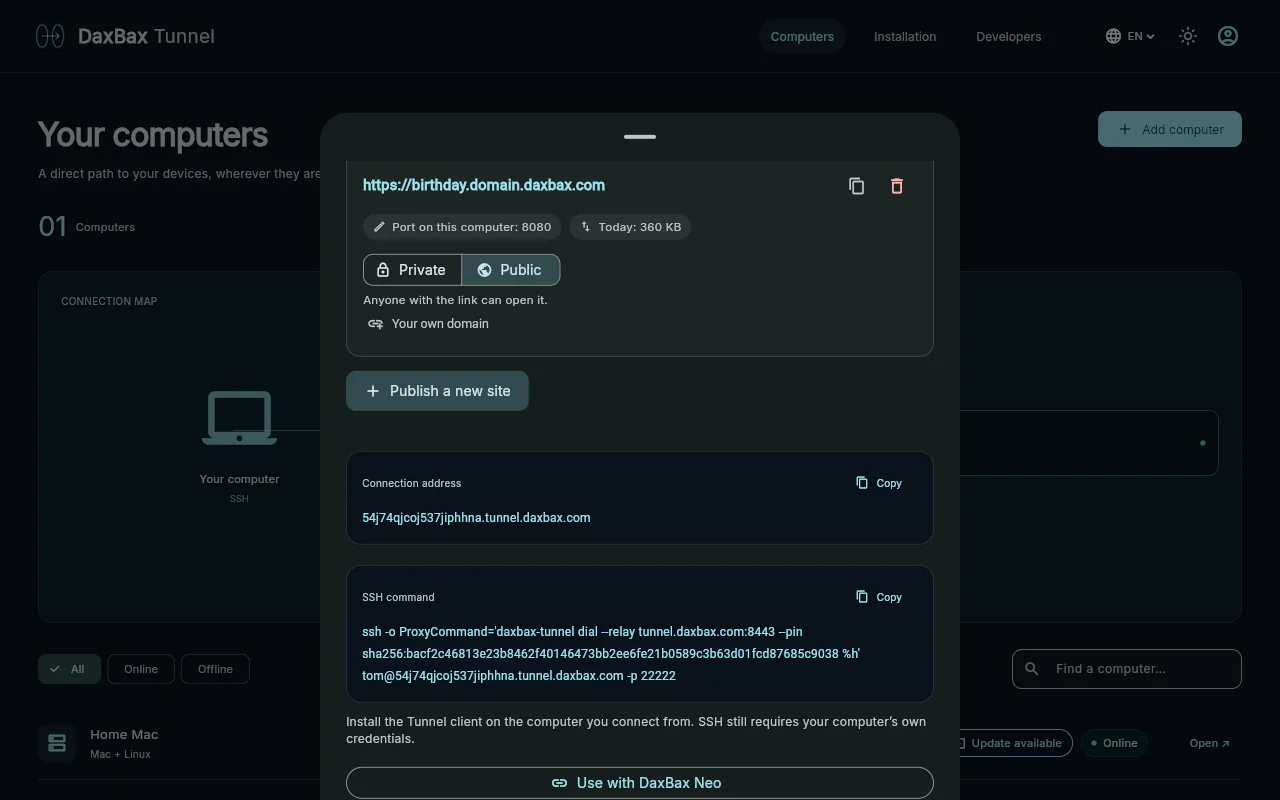
curl -fsSL https://tunnel.daxbax.com/install.sh | bash -s -- --linux <your code> --authorize-key '<Neo key>'What happens: the Tunnel client is installed, a Linux machine (Debian) is created, and it reaches out to the relay by itself — nothing is opened on your router. In our run the line Done. This computer is reachable as 54j7….tunnel.daxbax.com appeared after 70 seconds, because the Debian image was already cached; on a first install it is downloaded, which adds 2–4 minutes.
Back in Neo the status changes to “Tunnel online”; the address and user fill in by themselves. Press Verify — Neo signs in over SSH and shows “Verified”.
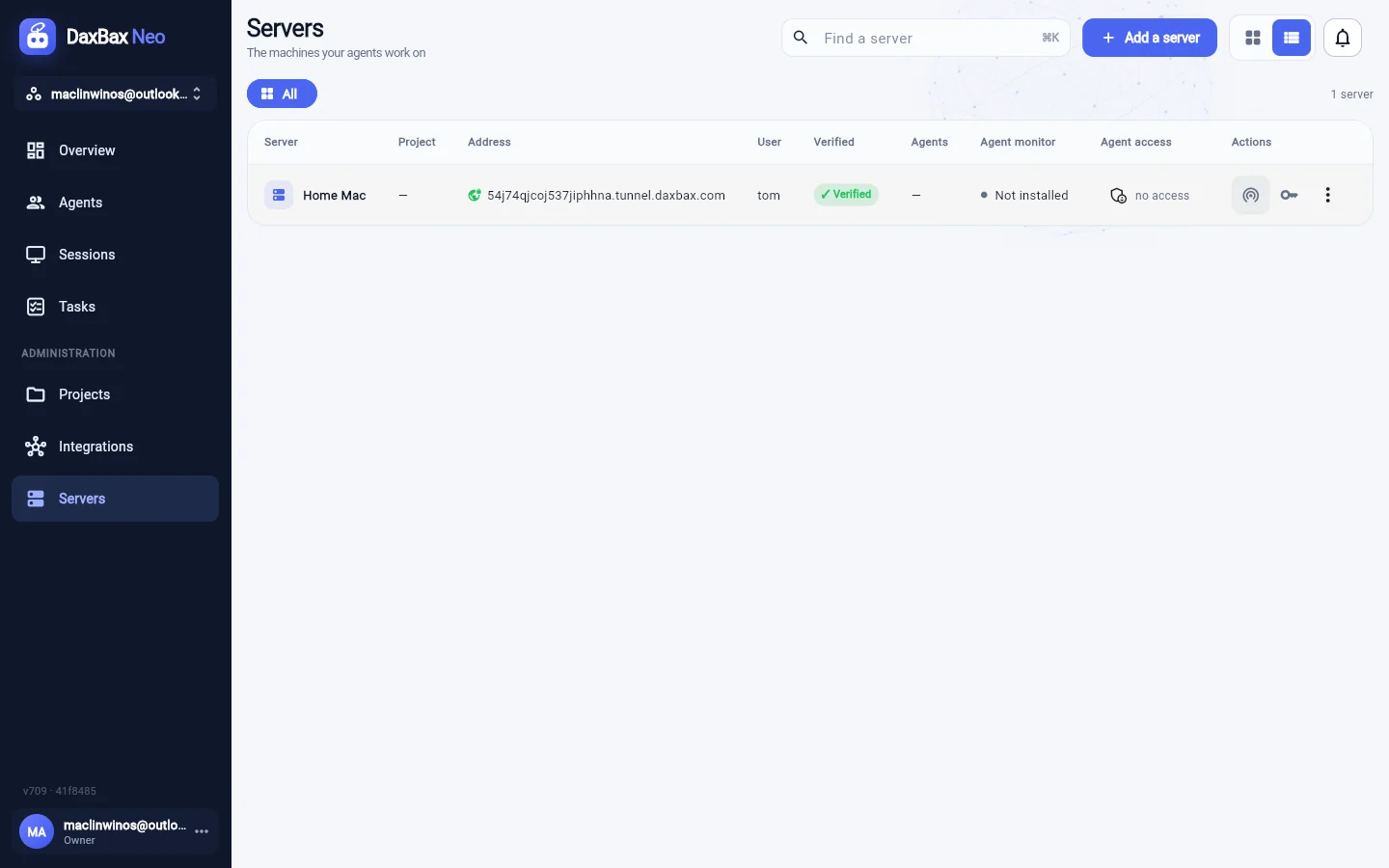
The same can be done at tunnel.daxbax.com: Add computer → Get installation command, run it, wait for “Computer connected”. Then in Neo: Servers → Add a server, the address from the computer card, the user from there too, sign-in method “DaxBax Neo key”.
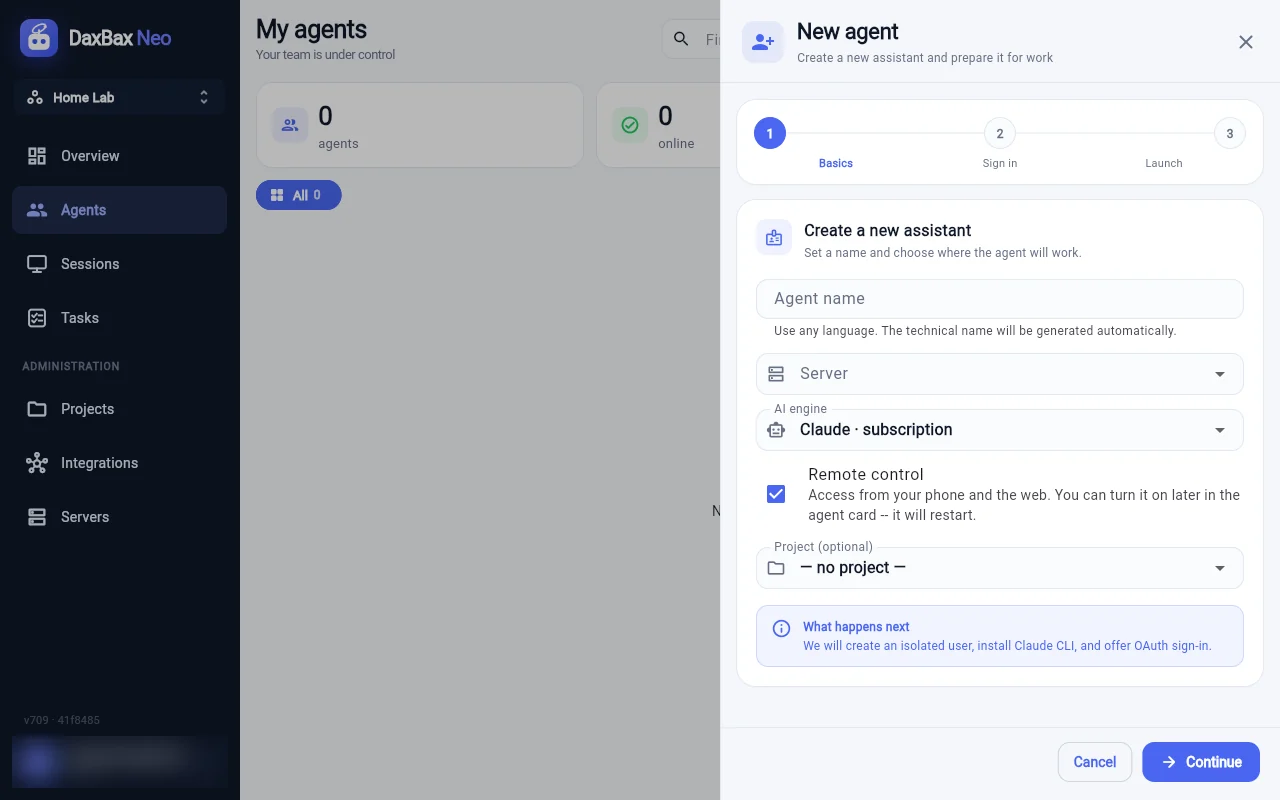
Agents → New agent: name “Web Master”, server — your computer, AI engine — Claude · subscription → Continue. Neo creates a separate user on the computer, installs Claude CLI and offers the sign-in: open the link, sign in to your Claude account, copy the code and paste it into the field. The private key and the sign-in code are never stored. You can close the window — the agent appears in the list and waits for the sign-in.
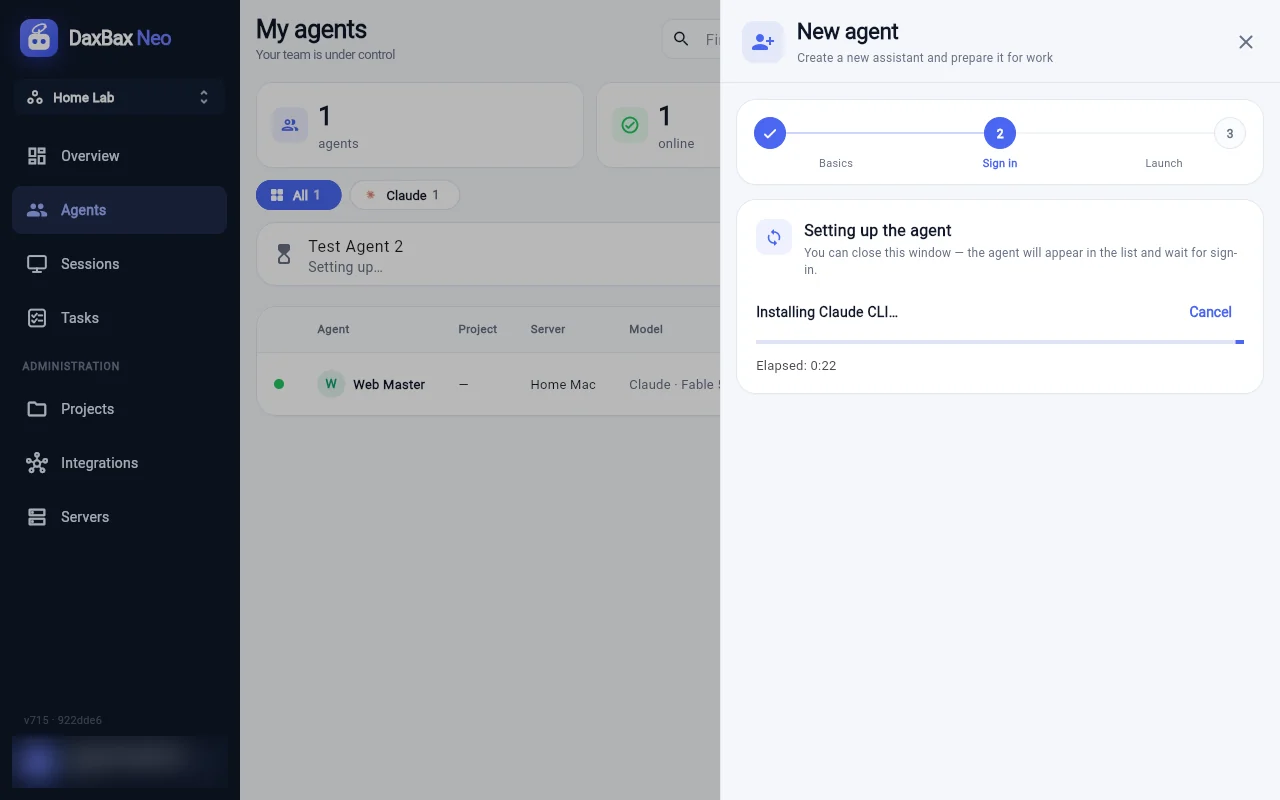
After the sign-in the agent starts: in Agents it is “Online”, in Sessions you see its live terminal, where you can look in or give it a hint.
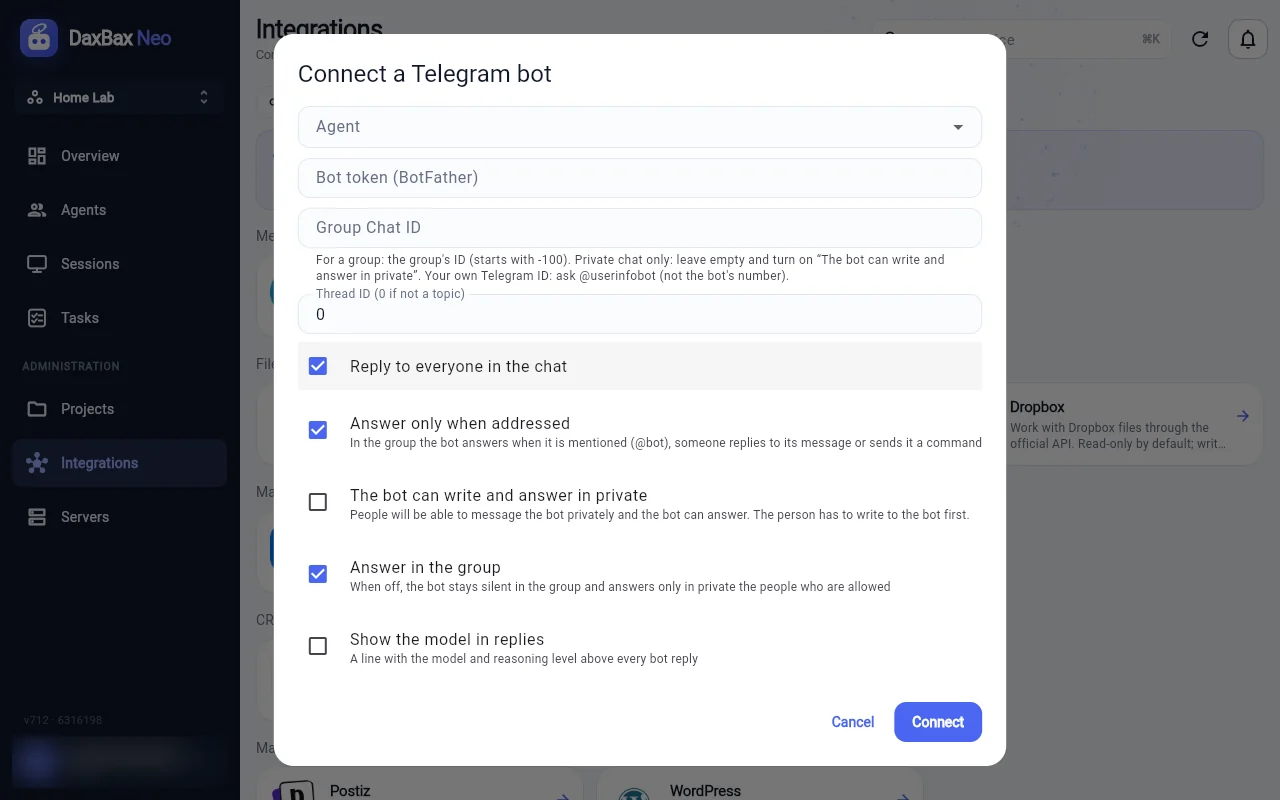
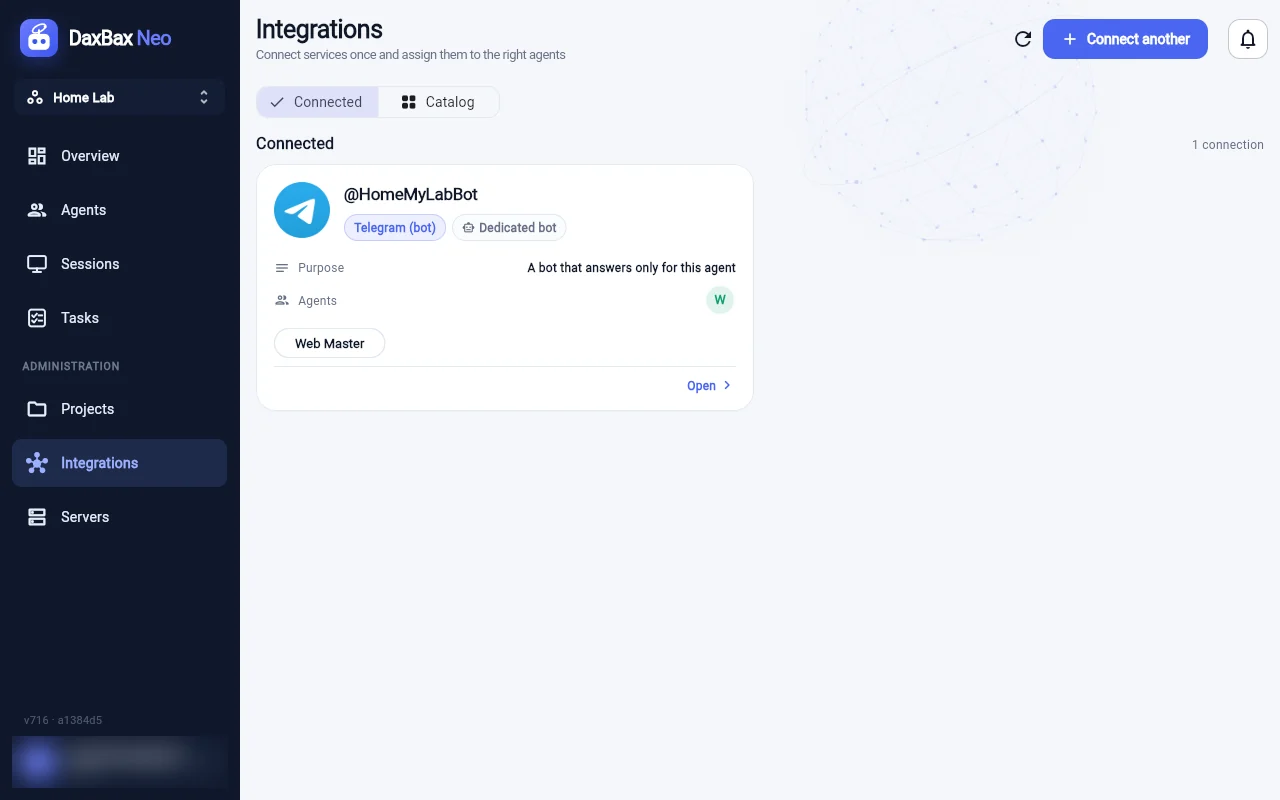
In @BotFather: /newbot → name → token. In Neo: Integrations → Catalog → Telegram (bot) → Dedicated bot for the agent: pick the agent, paste the token, leave “Group Chat ID” empty and turn on “The bot can write and answer in private” → Connect. A minute later the bot answers in Telegram — write to it first yourself.
In Telegram, to the agent — our prompt from the run (change it to taste):
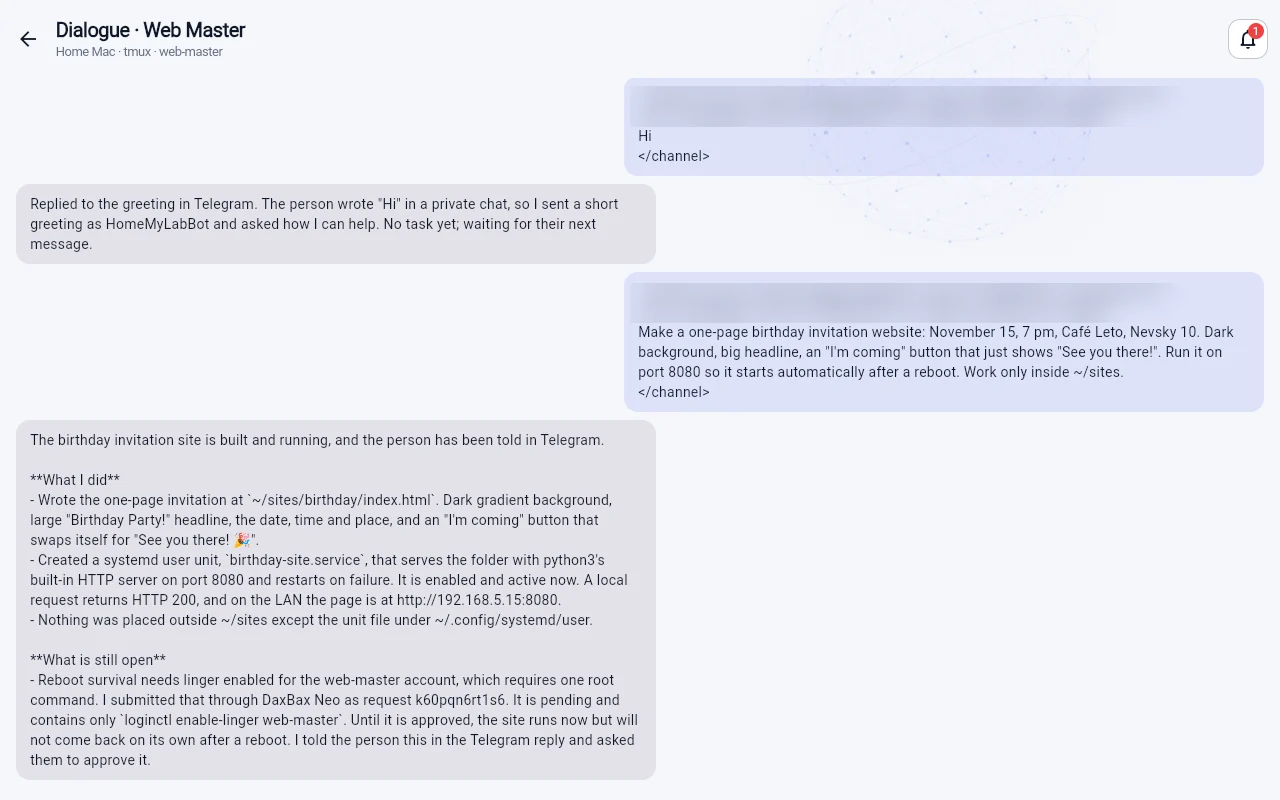
Make a one-page birthday invitation website: November 15, 7 pm, Café Leto, Nevsky 10. Dark background, big headline, an "I'm coming" button that just shows "See you there!". Run it on port 8080 so it starts automatically after a reboot. Work only inside ~/sites.The agent replied “on it”, and a minute later — “done”: the site in ~/sites/birthday, a systemd service on port 8080. To make the service survive a reboot it needed one root command — and it did not run it by itself: it sent a request to Neo explaining why. You see the exact command and decide: Waiting for you → Approve.
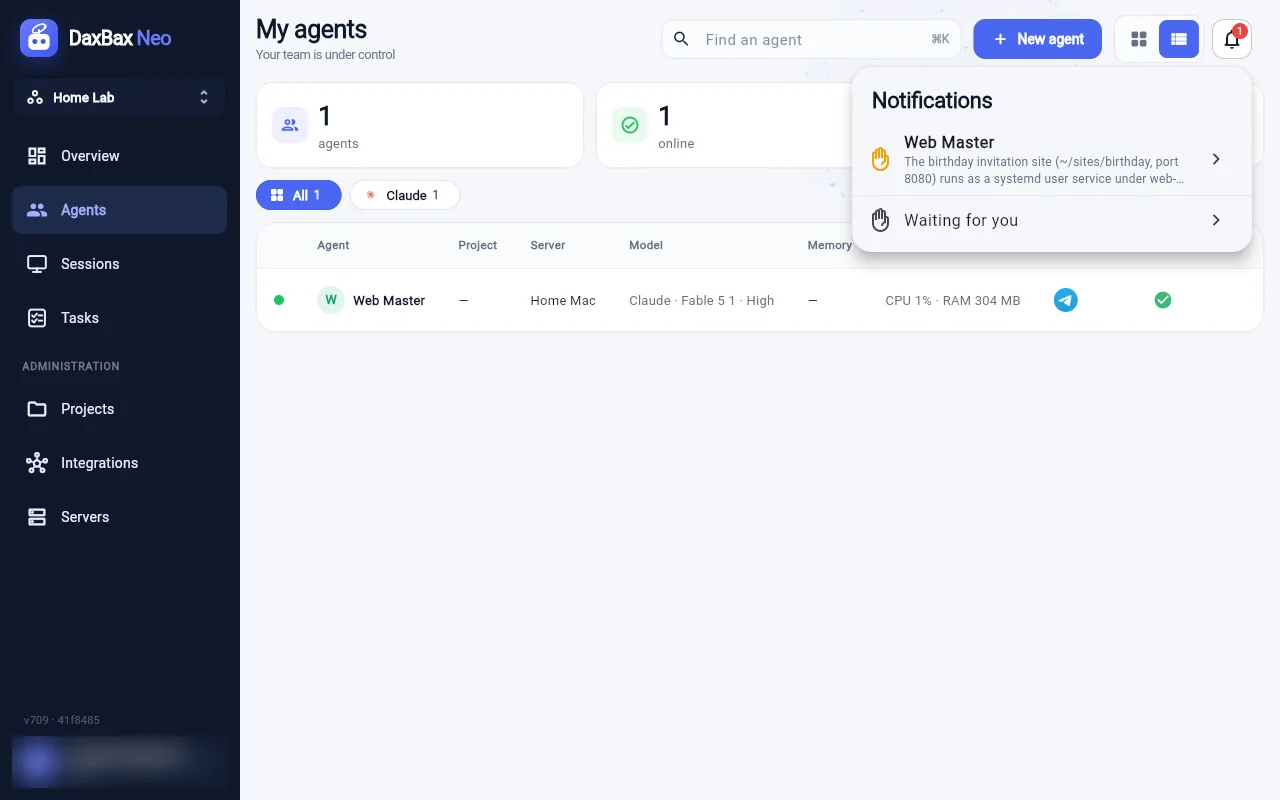
loginctl enable-linger web-master and the reason. One button — done.Open tunnel.daxbax.com (same sign-in, DaxBax ID) → the computer card → Sites → Publish a new site: port 8080, name birthday, switch Public → Publish site. Done: https://birthday.domain.daxbax.com. The certificate is issued right at publishing — the first open took 1.5 s for us.

Add a countdown to the party date and make the button orange.Refresh the page a minute later — same link, new site. The countdown and the orange button in the screenshot above appeared exactly this way.
Yes. It needs power, internet and a running Tunnel client (on a Mac — the “DaxBax Tunnel” app with an on/off button). The workspace shows when the computer is online. Switch it off and the link does not open; switch it on and everything is back without any new setup.
The agent works as a separate user in its own folder inside the Linux machine; the Mac's files and programs are not available to it. The agent never sees your Claude password — you sign in in your own browser. Actions that need administrator rights it first asks you to approve in Neo — in this case that happened exactly once. Nothing is opened on your router: the connection is outgoing.
No. Tunnel issues the address and the certificate. Your own domain is optional, through a CNAME.
Neo and Tunnel are free for now. You only pay for your Claude subscription (or ChatGPT for Codex, or a DeepSeek key).
Yes — you can write to the agent right in Neo, in “Sessions”. Telegram is just handier from a phone.
Linux (Debian/Ubuntu with systemd) connects directly, without a virtual machine. Windows 10 22H2 / 11 — through WSL2: PowerShell as administrator; a restart and a second run with a new code may be needed.
Everything above is one evening. If you would like such an agent — or a whole “neuro-office” of several — set up for your task, write to us: we will set it up and keep it running.