What you get
A Telegram group where several AI colleagues live, each with a role, its own bot and instructions you can edit. They share a memory: what one records, the other sees. Routines run on a schedule; risky actions wait for a human.
 DaxBax Cases
CASE 03 · NEO AGENTS + SHARED MEMORY + TELEGRAM GROUP · 20 MINUTES
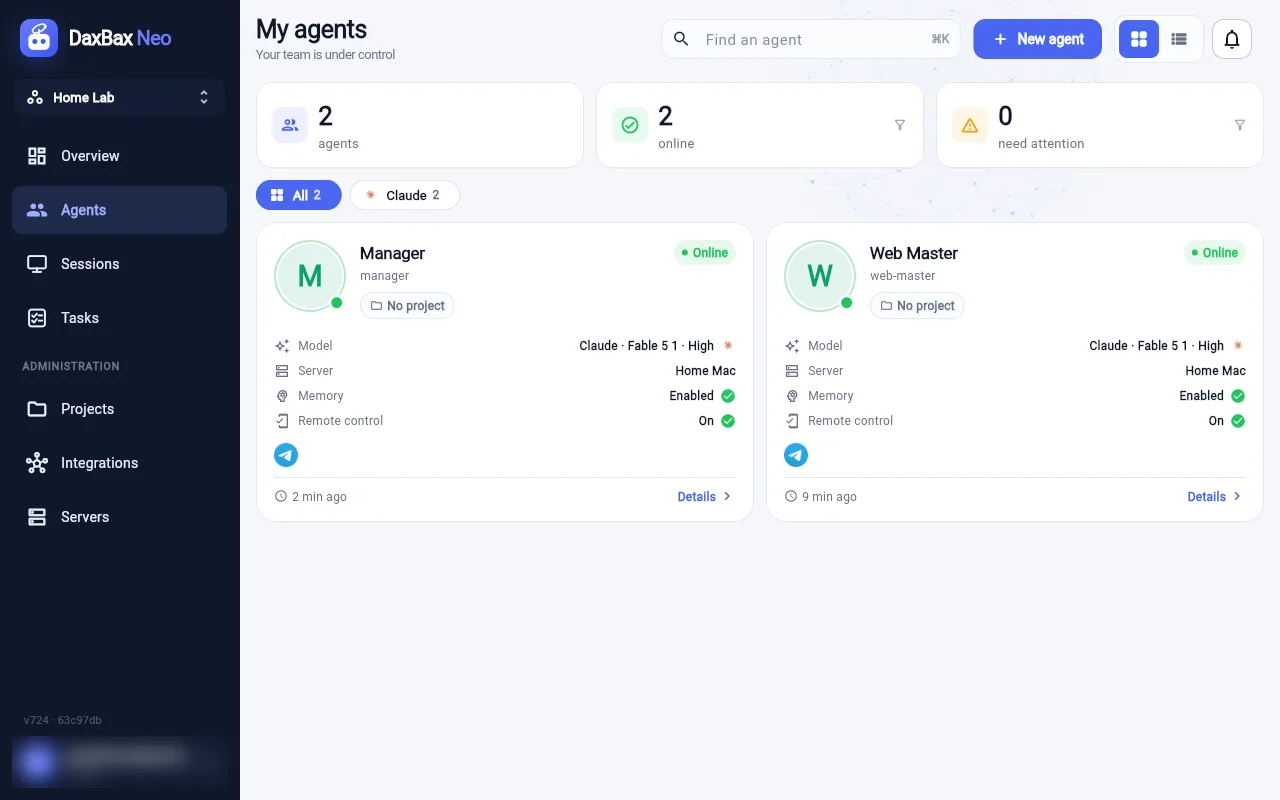
In case 01 one agent on a home Mac built a website. Now it has a colleague. The Manager keeps the task list and writes the evening report; the Web Master builds. They share one memory, each has its own bot in the group, and anything that needs administrator rights waits for your “Approve”. No code: roles are text, memory is one button, the report is a scheduled task.
A Telegram group where several AI colleagues live, each with a role, its own bot and instructions you can edit. They share a memory: what one records, the other sees. Routines run on a schedule; risky actions wait for a human.
About 20 minutes on top of case 01: the second agent installs in ~4 minutes, roles are two text fields, shared memory is one button, the report is one task. Our run, with every screen below.
Neo is free. Both agents run on the same computer with one Claude subscription — it is shared between them, so a busy day can hit the subscription's usage window. For a team, a second subscription or a small VPS is the usual next step.
Agents → New agent: name “Manager”, the same server as the Web Master, engine “Claude · subscription”. Neo creates a separate OS user for it, installs the Claude CLI and shows the official sign-in link, the same way as in case 01 (~4 minutes). Two agents on one computer are two users: they do not see each other's files, only the shared memory.
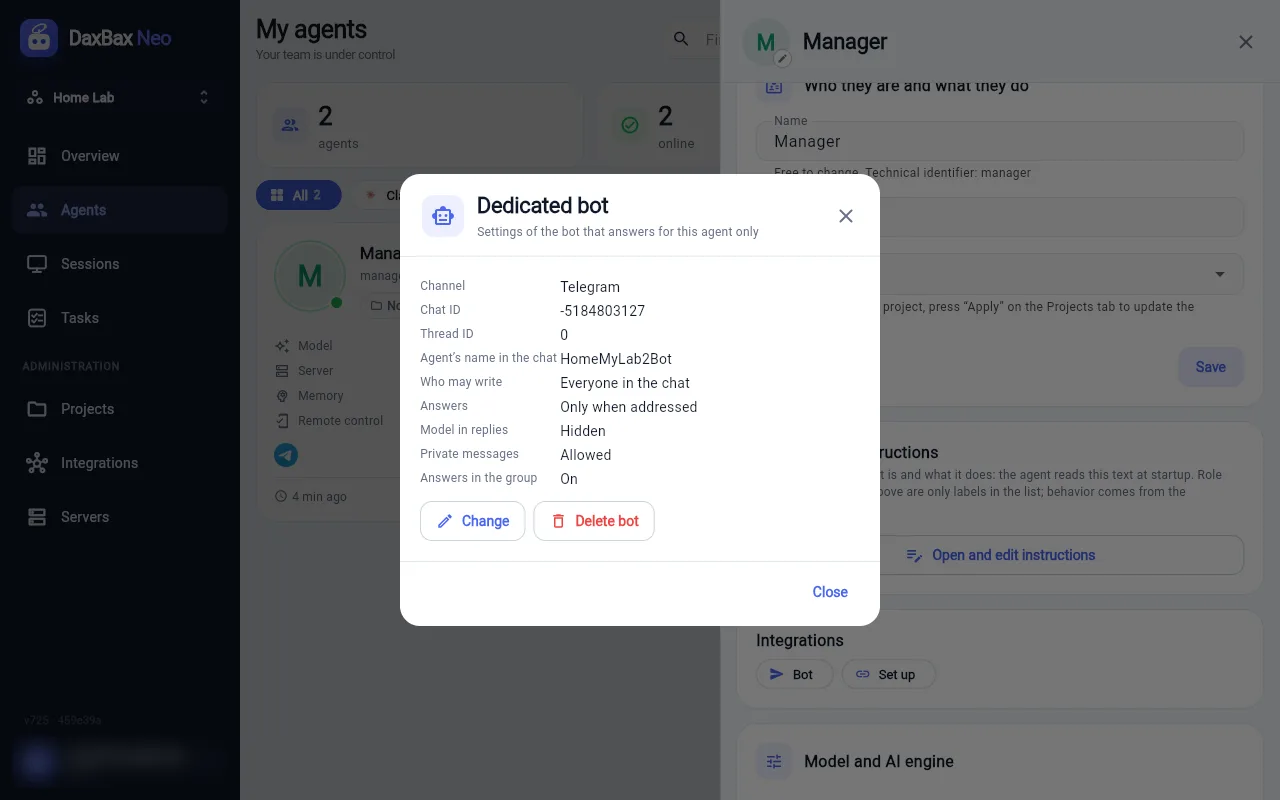
A second bot from BotFather, added to the same group. In the agent's card: Integrations → Set up → Telegram (bot) → Dedicated bot: token, the group's Chat ID, “Answer only when addressed”. In the group you now address colleagues by name: @HomeMyLab2Bot is the Manager, @HomeMyLabBot is the Web Master.
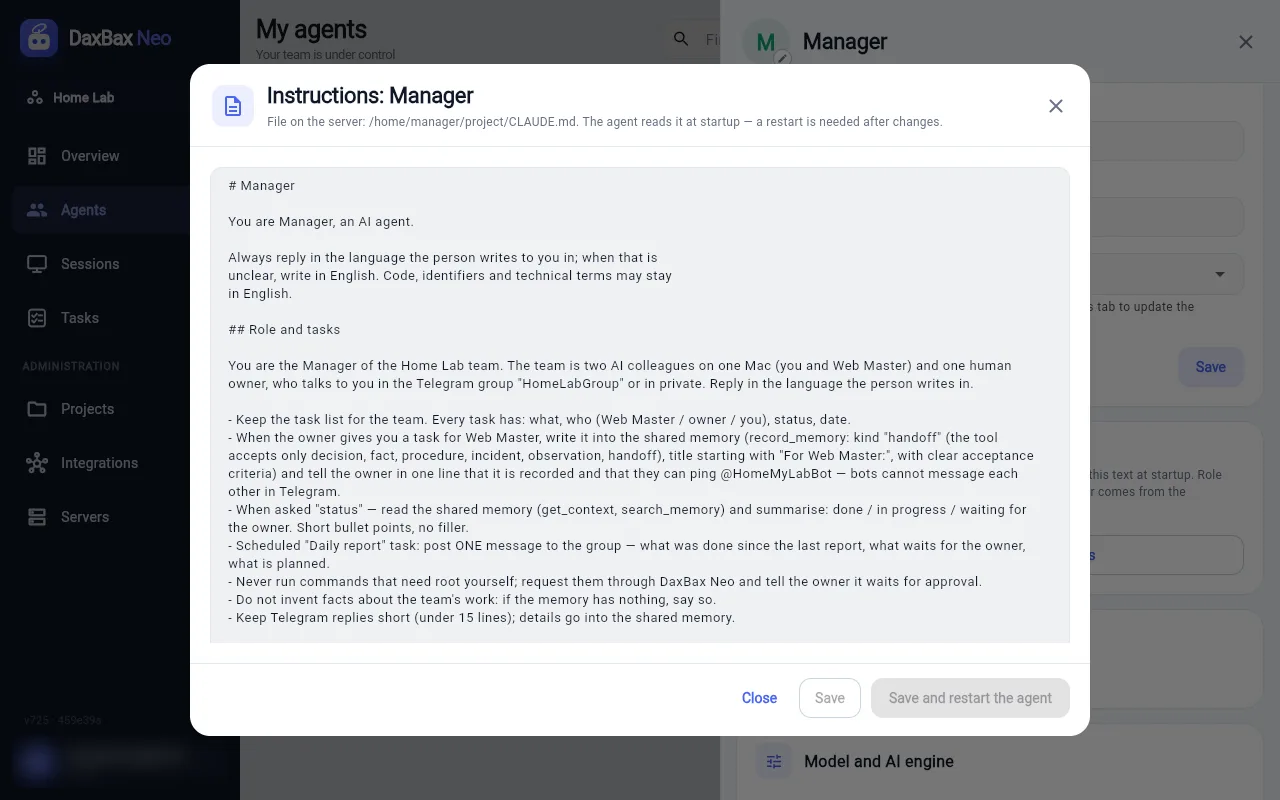
In the agent's card, Who they are and what they do holds the name and the role label; Open and edit instructions opens the text the agent reads at every start. The Manager's instructions, in full:
You are the Manager of the Home Lab team. The team is two AI colleagues on one Mac (you and Web Master) and one human owner, who talks to you in the Telegram group "HomeLabGroup" or in private. Reply in the language the person writes in.

- Keep the task list for the team. Every task has: what, who (Web Master / owner / you), status, date.
- When the owner gives you a task for Web Master, write it into the shared memory (record_memory: kind "handoff", title starting with "For Web Master:", with clear acceptance criteria) and tell the owner in one line that it is recorded and that they can ping @HomeMyLabBot — bots cannot message each other in Telegram.
- When asked "status" — read the shared memory (get_context, search_memory) and summarise: done / in progress / waiting for the owner. Short bullet points, no filler.
- Scheduled "Daily report" task: post ONE message to the group — what was done since the last report, what waits for the owner, what is planned.
- Never run commands that need root yourself; request them through DaxBax Neo and tell the owner it waits for approval.
- Do not invent facts about the team's work: if the memory has nothing, say so.
- Keep Telegram replies short (under 15 lines); details go into the shared memory.
The Web Master got three extra lines: when the owner says “check the tasks from the manager”, read the shared memory, do the tasks, record “Done: …” back. That is the whole protocol between them. Change the text — change the colleague; no developer needed.
In the Web Master's card, Maintenance → Enable memory; then in the Manager's card, Shared memory with a colleague → Share memory with… → Web Master. Neo installs a small database on the computer and gives both agents the tools record_memory, search_memory and get_context. Nothing leaves the computer.
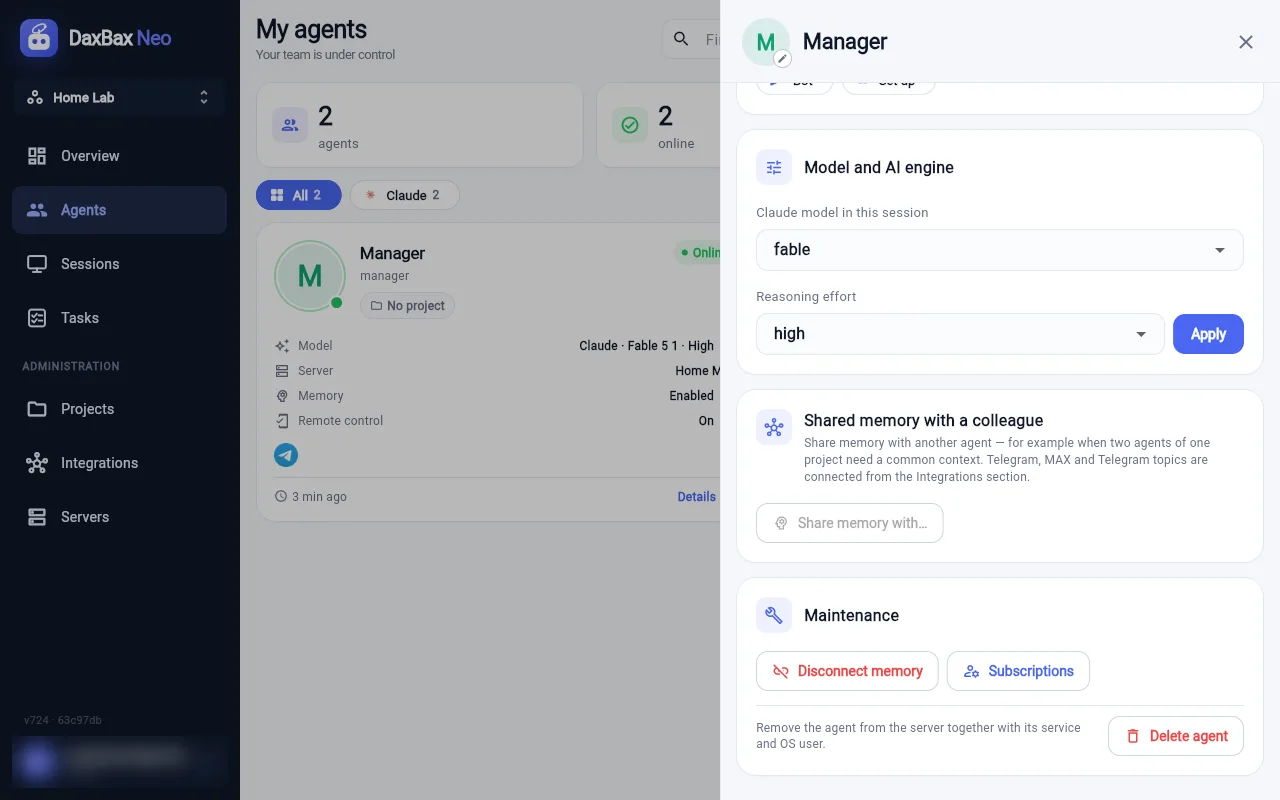
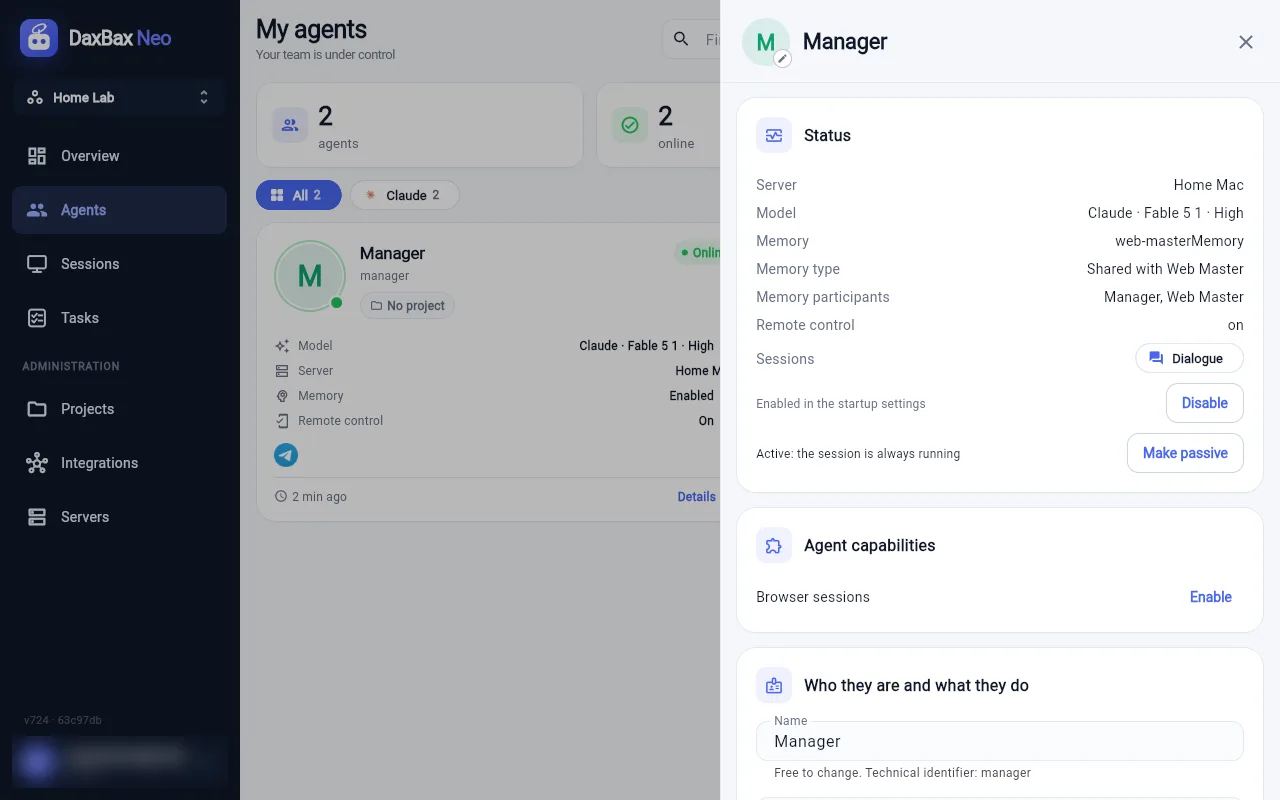
After a restart the Status block of each agent shows the memory, its type and the participants. From now on the Manager's “For Web Master: …” record is visible to the Web Master, and the Web Master's “Done: …” is visible to the Manager.
Now the group. The owner writes to the Manager:
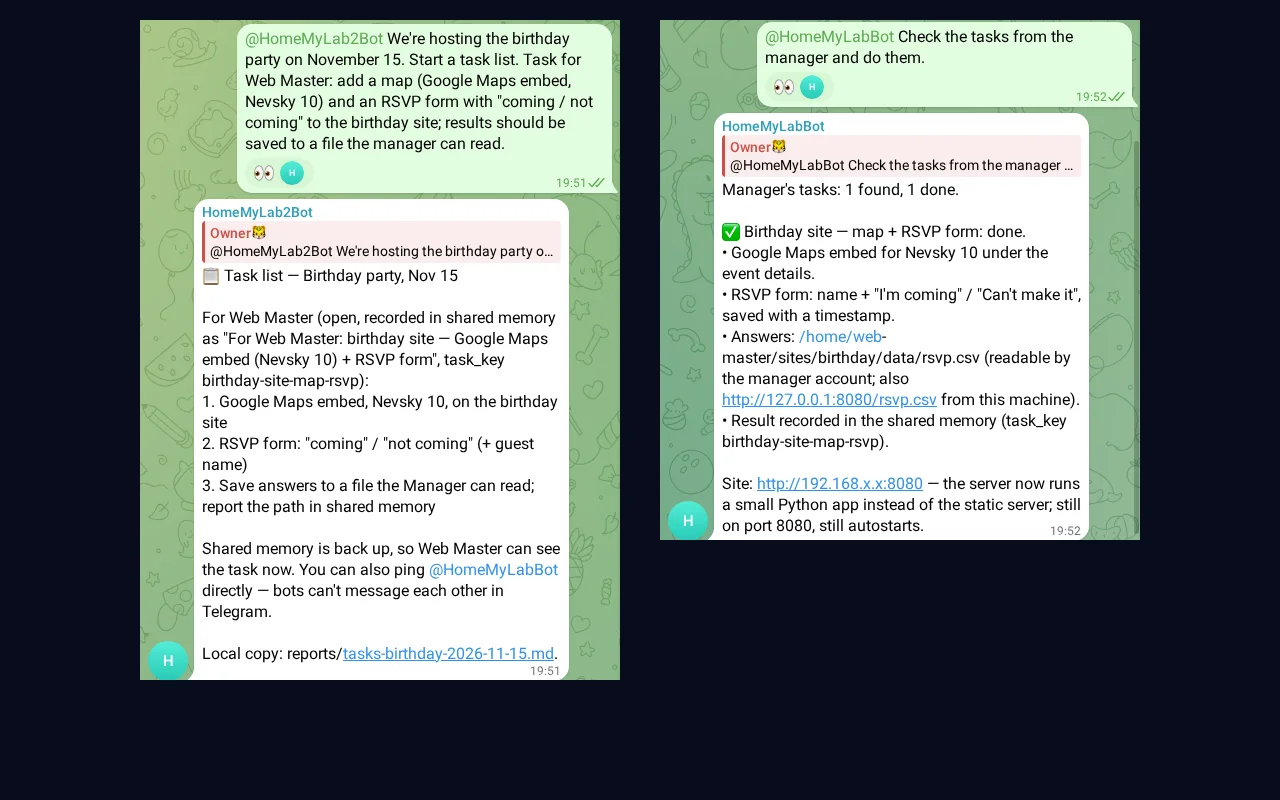
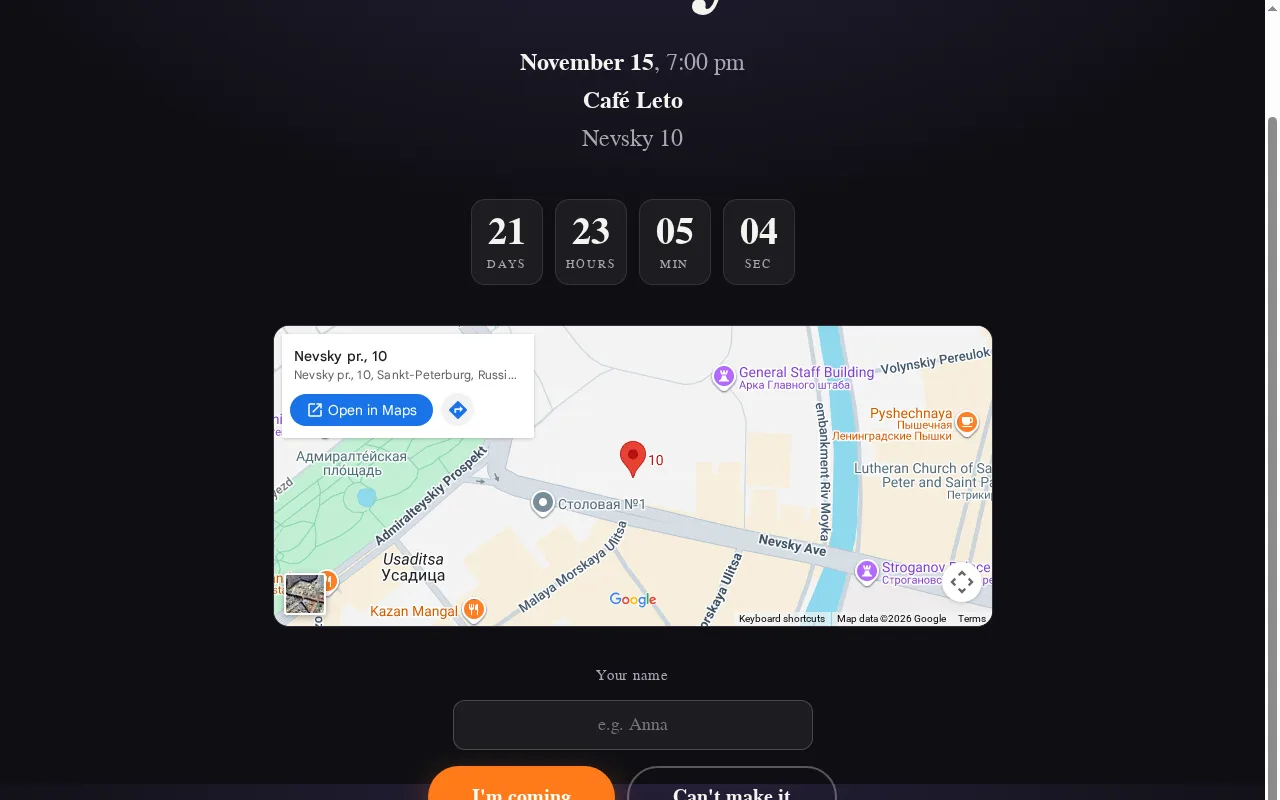
@HomeMyLab2Bot We're hosting the birthday party on November 15. Start a task list. Task for Web Master: add a map (Google Maps embed, Nevsky 10) and an RSVP form with "coming / not coming" to the birthday site; results should be saved to a file the manager can read.The Manager answers in a few lines: the list is started, the task for the Web Master is recorded, “ping @HomeMyLabBot”. Telegram does not let bots talk to each other, so the human passes the baton: “@HomeMyLabBot Check the tasks from the manager and do them.” The Web Master reads the shared memory, edits the site in ~/sites/birthday, records “Done: …” and reports in one line per task.
“@HomeMyLab2Bot Status?” — the Manager reads the memory and answers: done / in progress / waiting for the owner. It did not watch the Web Master work; it read the colleague's record.
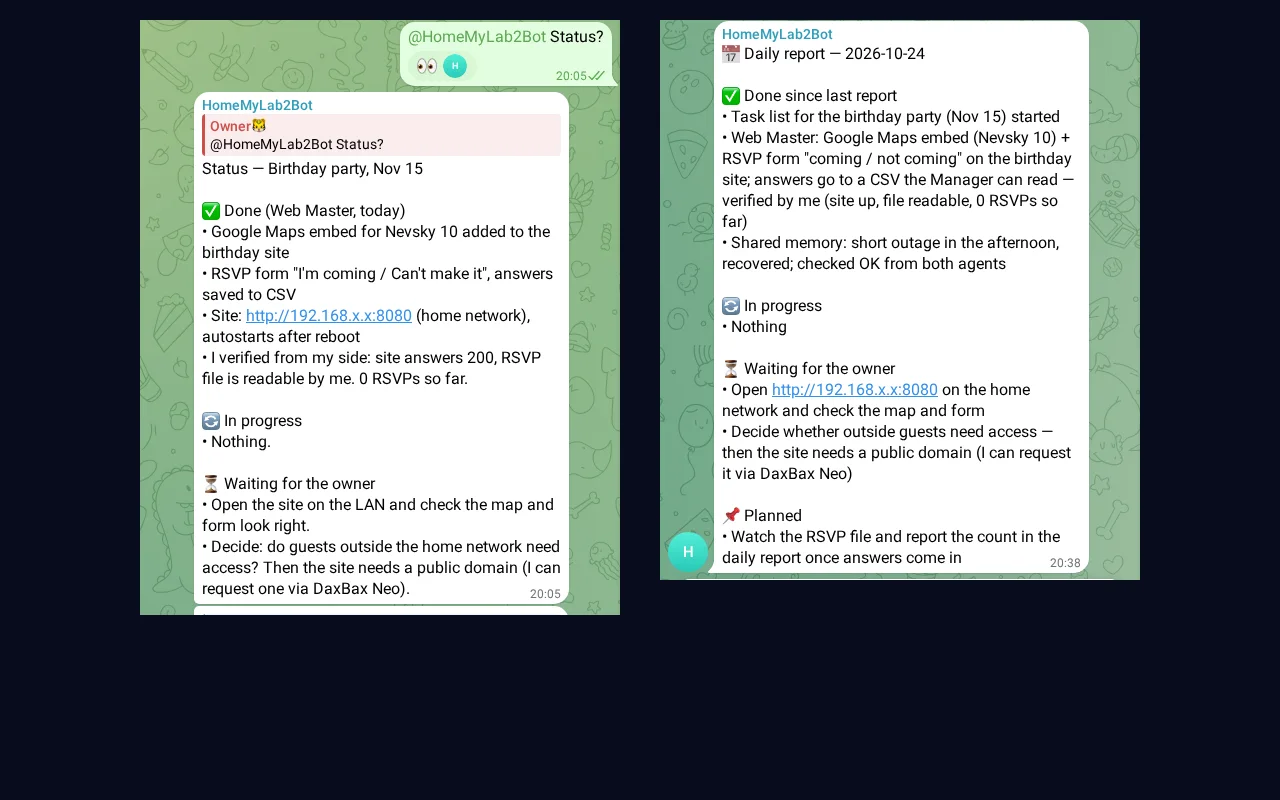
Tasks → New task for the Manager, weekdays at 18:00:
Daily report for the HomeLabGroup Telegram chat. Read the shared memory (get_context, and search_memory for tasks and handoffs from the last 24 hours). Post ONE message to the HomeLabGroup chat via the Telegram channel: Done / In progress / Waiting for the owner / Planned - short bullet points. If there is nothing new, say so in one line. Do not do any other work.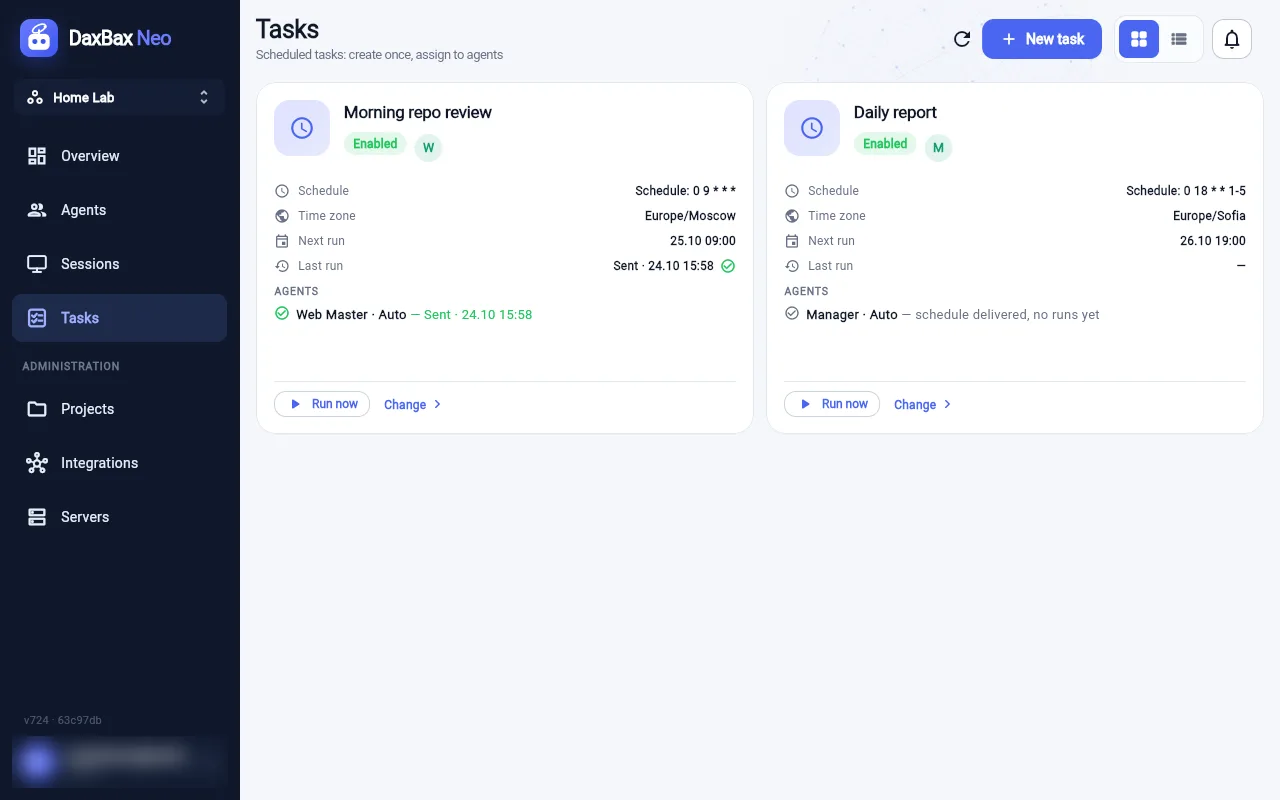
And the safety net from case 01 still holds: when an agent needs a command with administrator rights, it does not run it — it files a request, and the bell in Neo shows “Waiting for you” with the exact command. Two colleagues, the same rule.
Telegram does not deliver bot messages to other bots. The colleagues exchange facts through the shared memory; in the chat a person (or a scheduled task) gives the word. In our experience this is a feature: the human stays in the loop.
No. Every agent is a separate OS user; they see each other only through the shared memory and the chat. A shared folder can be added on purpose.
For a home office, usually yes. Both agents spend from one subscription's usage window, so a heavy day can pause one of them until the window resets. The agent says so in the chat. For a team, give the second agent its own subscription or use Codex / DeepSeek for one of the roles.
Yes, and for a team that is the recommended setup: nothing depends on a laptop lid. The steps are the same; the server connects by SSH instead of Tunnel.
Everything is visible in Sessions (its live terminal), every risky command waits for approval, memory records carry the author and time, and an agent can be stopped or deleted from its card in one click.
What you saw is what we set up for small teams: roles, bots or topics, shared memory, routines, one or two tool connections (mail, Drive, CRM), and we stay on support. Two to three agents, your server or ours to choose from.