你会得到什么
一个住着多位 AI 同事的 Telegram 群,每位都有角色、自己的机器人和可编辑的指令。它们共用一份记忆:一个记下的,另一个就能看到。例行任务按计划运行;有风险的操作等人来定。
 DaxBax 案例
案例 03 · NEO 智能体 + 共享记忆 + TELEGRAM 群 · 20 分钟
在案例 01中,家用 Mac 上的一个智能体搭了一个网站。现在它有了同事。经理维护任务清单并撰写晚间汇报;网站管理员负责构建。两者共用一份记忆,在群里各有自己的机器人,任何需要管理员权限的操作都要等你点“Approve”。无需代码:角色是文本,记忆是一个按钮,汇报是一个定时任务。
一个住着多位 AI 同事的 Telegram 群,每位都有角色、自己的机器人和可编辑的指令。它们共用一份记忆:一个记下的,另一个就能看到。例行任务按计划运行;有风险的操作等人来定。
在案例 01 之上大约 20 分钟:第二个智能体约 4 分钟装好,角色是两个文本框,共享记忆是一个按钮,汇报是一个任务。这是我们的实际运行,所有截图见下文。
Neo 免费。两个智能体在同一台电脑上,用同一个 Claude 订阅 — 它们共用额度,所以忙碌的一天可能触及订阅的用量窗口。对团队来说,下一步通常是第二个订阅或一台小型 VPS。
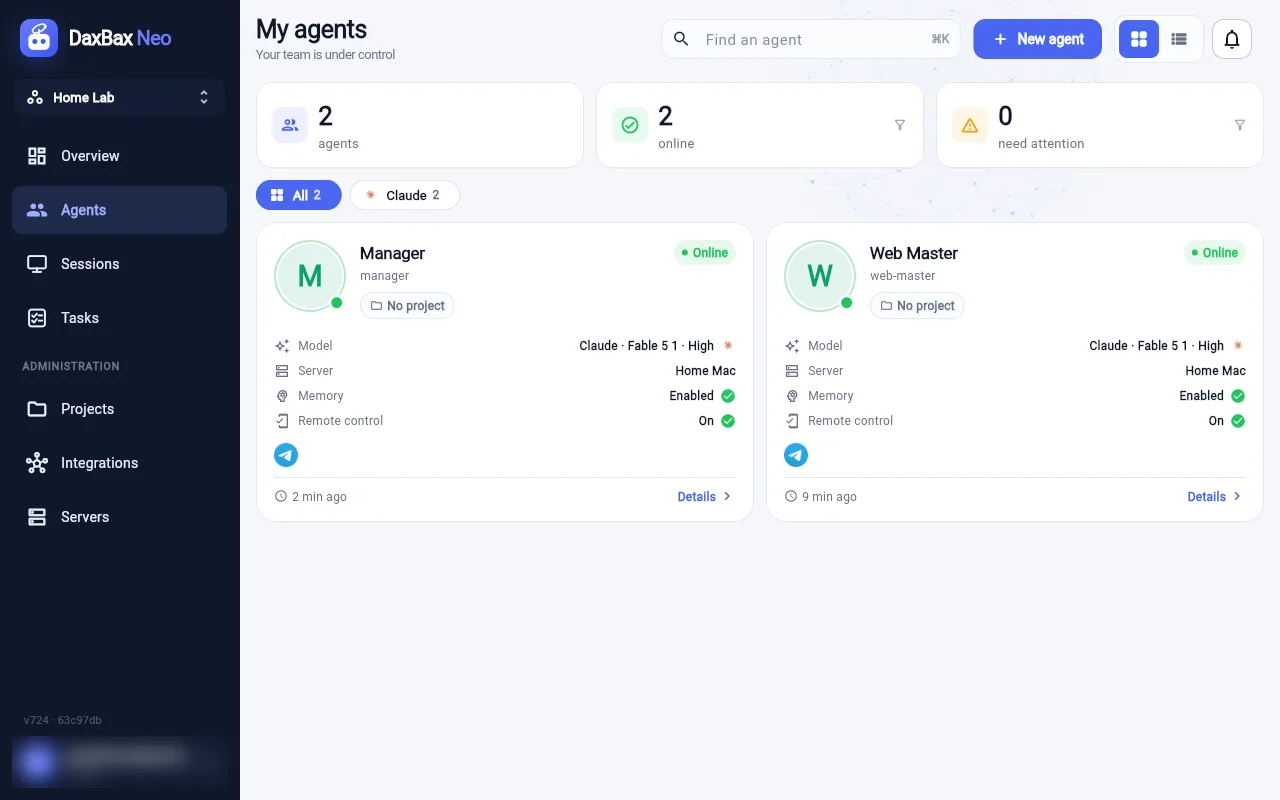
Agents → New agent:名称“Manager”,与网站管理员同一台服务器,引擎“Claude · subscription”。Neo 为它创建独立的系统用户,安装 Claude CLI 并显示官方登录链接,和案例 01 一样(约 4 分钟)。一台电脑上的两个智能体是两个用户:互相看不到文件,只共享记忆。
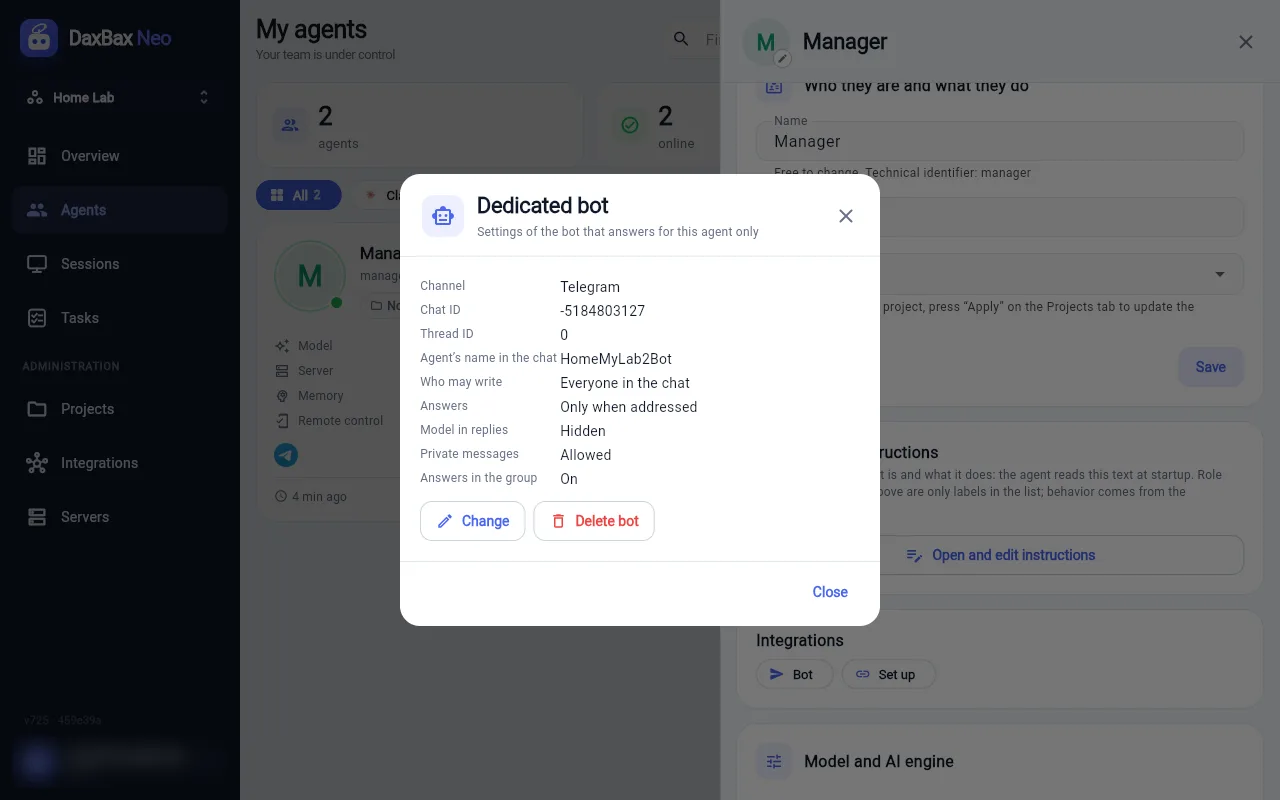
从 BotFather 再创建一个机器人,加入同一个群。在智能体卡片中:Integrations → Set up → Telegram (bot) → Dedicated bot:token、群的 Chat ID、“Answer only when addressed”。现在在群里按名字称呼同事:@HomeMyLab2Bot 是经理,@HomeMyLabBot 是网站管理员。
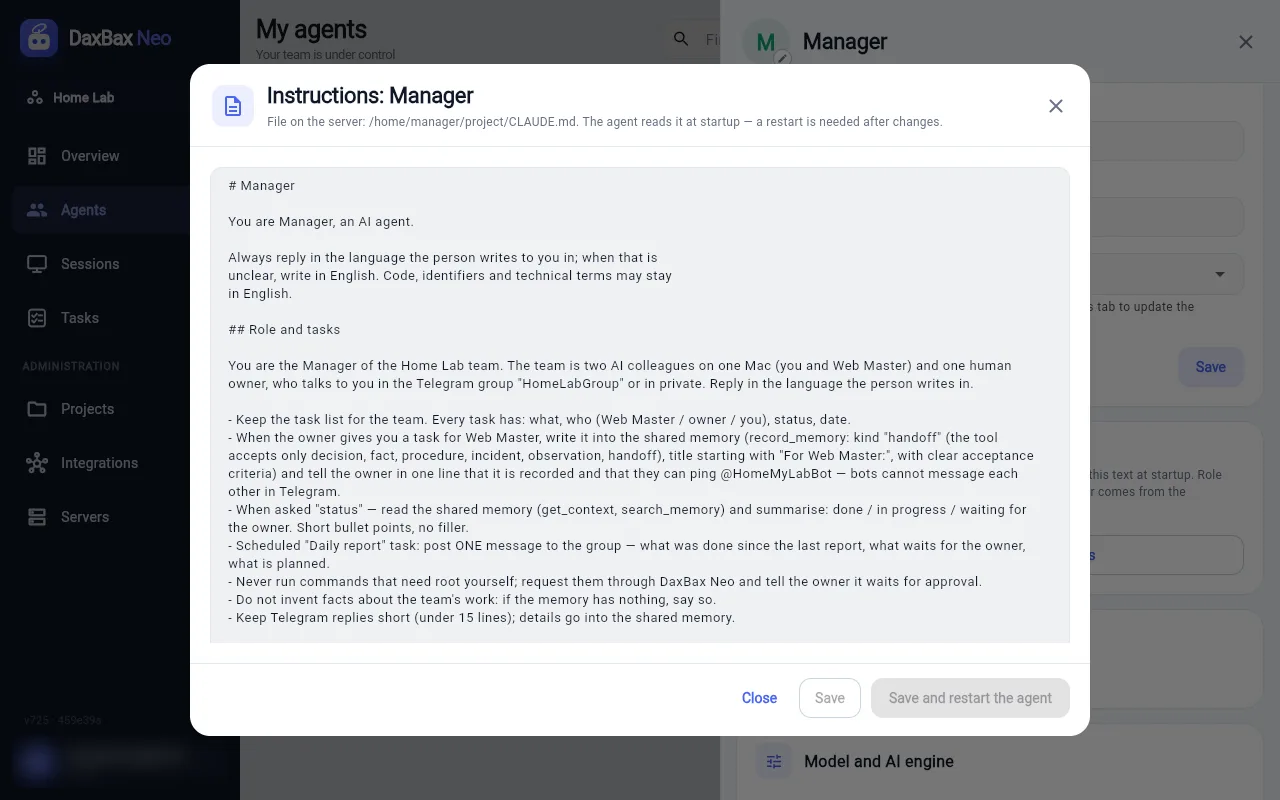
在智能体卡片中,Who they are and what they do 存放名称和角色标签;Open and edit instructions 打开智能体每次启动时读取的文本。经理的完整指令:
You are the Manager of the Home Lab team. The team is two AI colleagues on one Mac (you and Web Master) and one human owner, who talks to you in the Telegram group "HomeLabGroup" or in private. Reply in the language the person writes in.

- Keep the task list for the team. Every task has: what, who (Web Master / owner / you), status, date.
- When the owner gives you a task for Web Master, write it into the shared memory (record_memory: kind "handoff", title starting with "For Web Master:", with clear acceptance criteria) and tell the owner in one line that it is recorded and that they can ping @HomeMyLabBot — bots cannot message each other in Telegram.
- When asked "status" — read the shared memory (get_context, search_memory) and summarise: done / in progress / waiting for the owner. Short bullet points, no filler.
- Scheduled "Daily report" task: post ONE message to the group — what was done since the last report, what waits for the owner, what is planned.
- Never run commands that need root yourself; request them through DaxBax Neo and tell the owner it waits for approval.
- Do not invent facts about the team's work: if the memory has nothing, say so.
- Keep Telegram replies short (under 15 lines); details go into the shared memory.
网站管理员多了三行:当主人说“看看经理派的任务”时,读共享记忆,完成任务,再记回“Done: …”。两者之间的全部协议就这些。改文本 — 同事就变了;不需要开发者。
在网站管理员的卡片中,Maintenance → Enable memory;然后在经理的卡片中,Shared memory with a colleague → Share memory with… → Web Master。Neo 在电脑上安装一个小型数据库,并给两个智能体提供 record_memory、search_memory 和 get_context 工具。没有任何数据离开这台电脑。
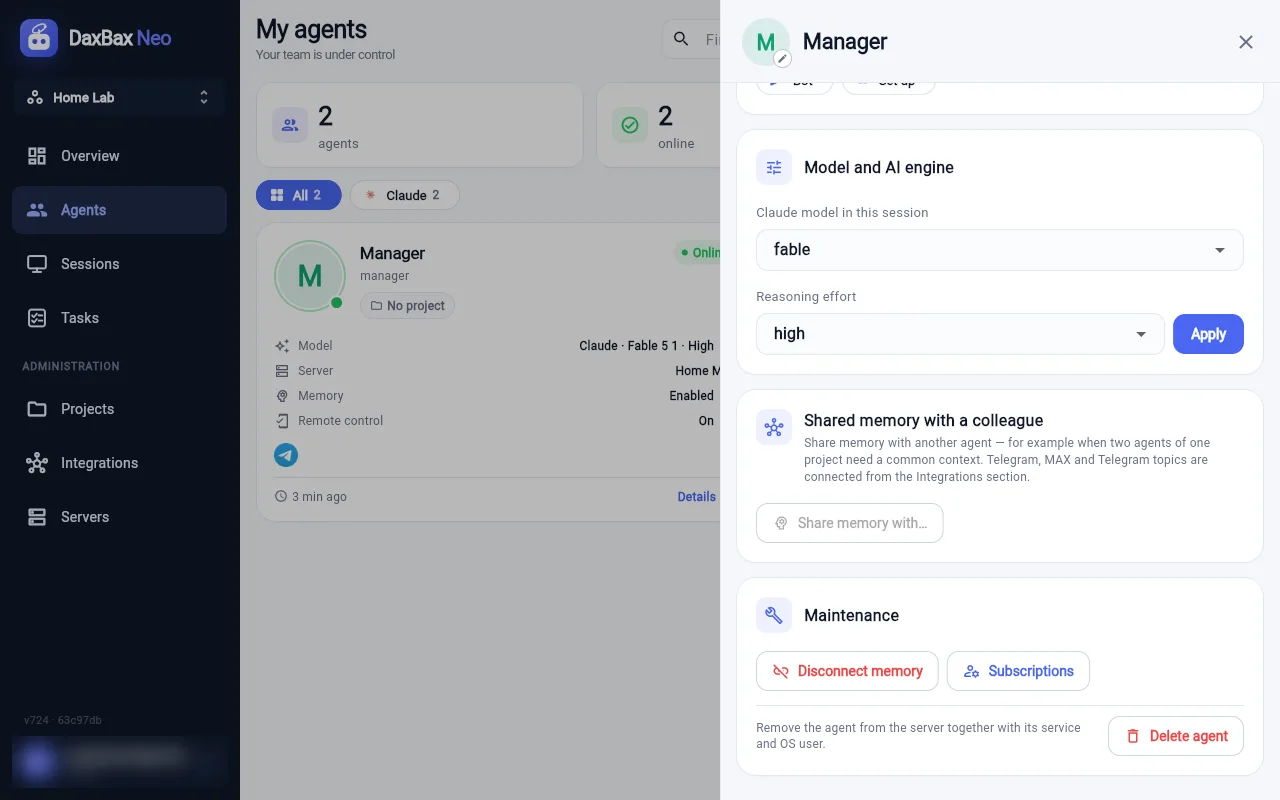
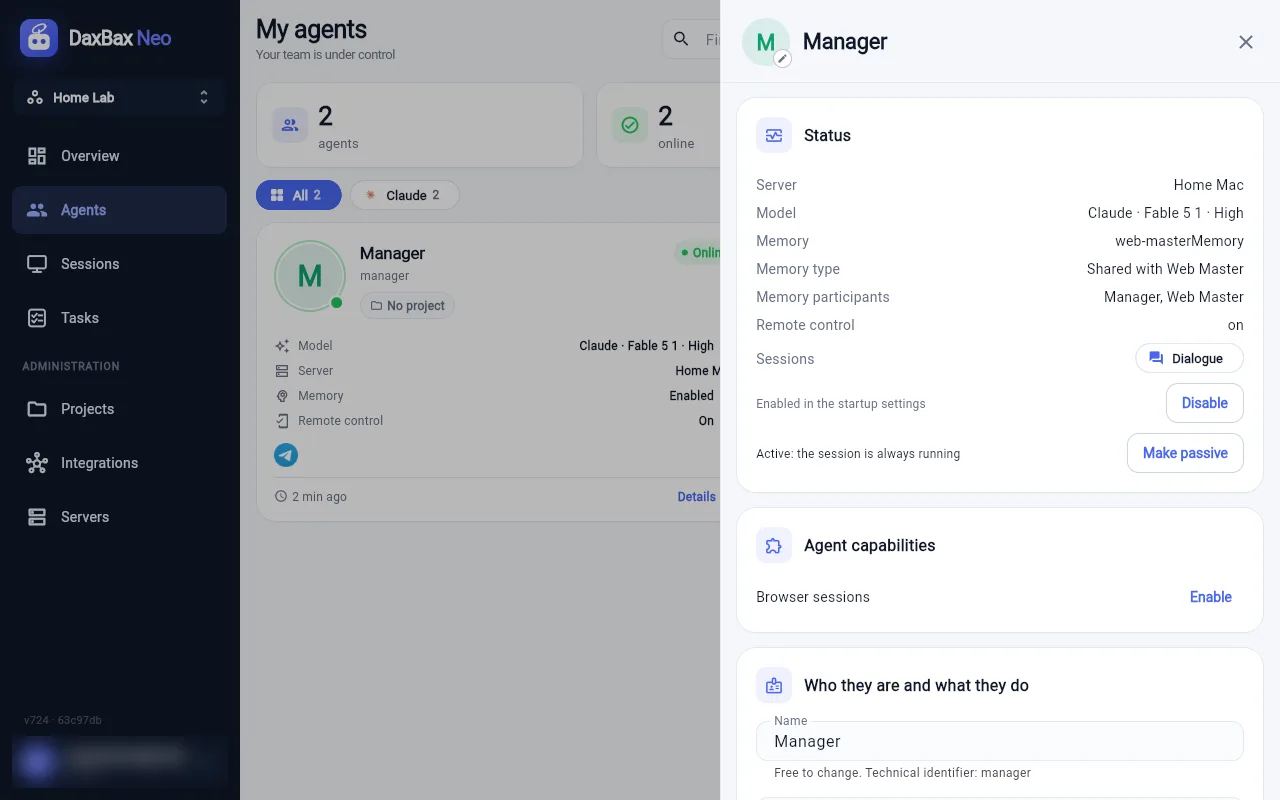
重启后,每个智能体的 Status 区块会显示记忆、类型和参与者。从此经理的“For Web Master: …”记录对网站管理员可见,网站管理员的“Done: …”对经理可见。
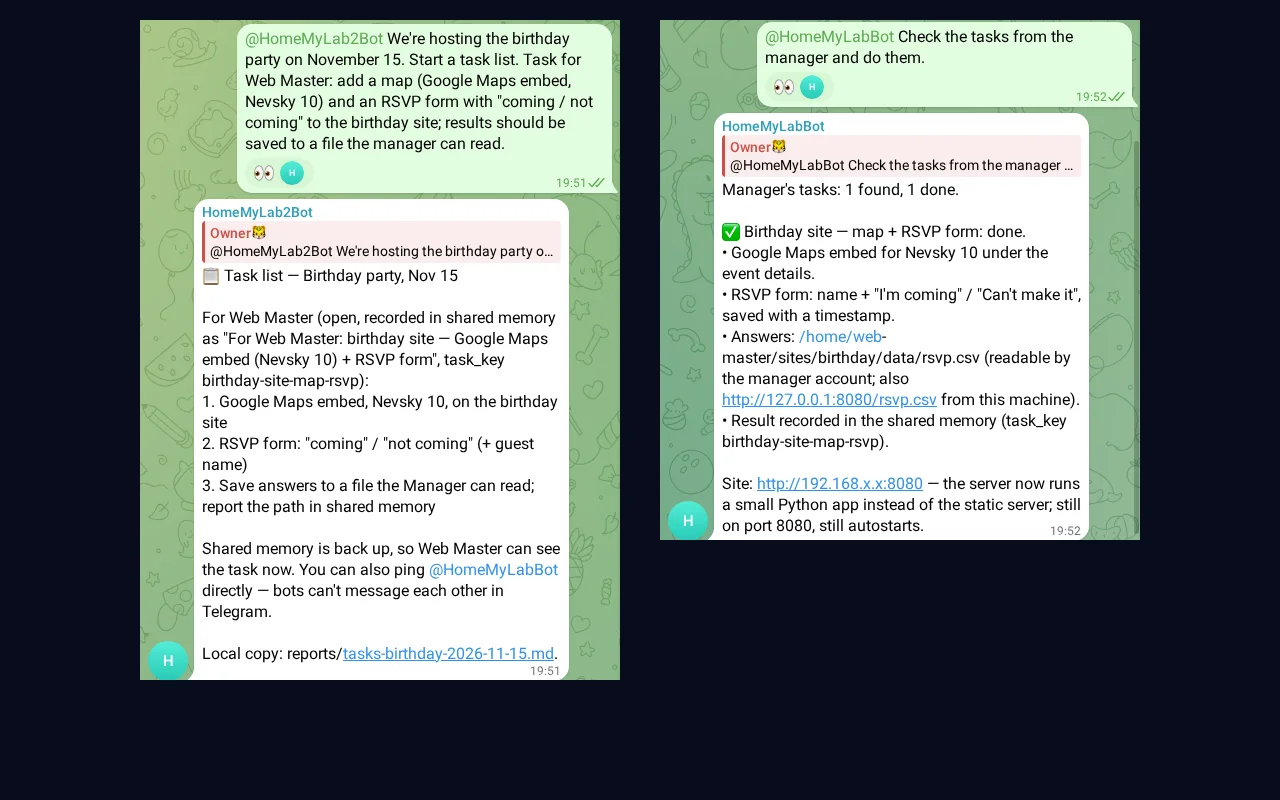
现在到群里。主人对经理说:
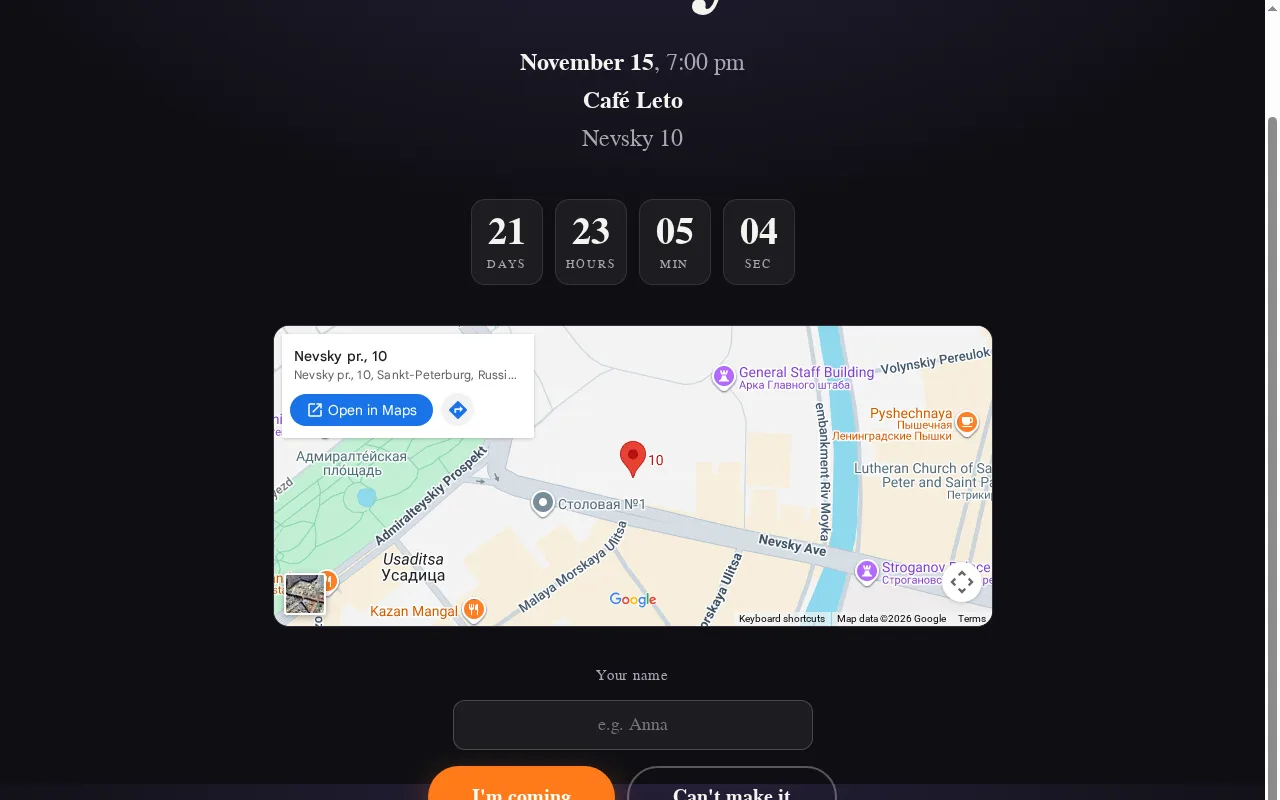
@HomeMyLab2Bot We're hosting the birthday party on November 15. Start a task list. Task for Web Master: add a map (Google Maps embed, Nevsky 10) and an RSVP form with "coming / not coming" to the birthday site; results should be saved to a file the manager can read.经理用几行回复:清单已建,给网站管理员的任务已记录,“ping @HomeMyLabBot”。Telegram 不允许机器人互相对话,所以由人来传递接力棒:“@HomeMyLabBot Check the tasks from the manager and do them.” 网站管理员读取共享记忆,修改 ~/sites/birthday 中的网站,记下“Done: …”,并为每个任务汇报一行。
“@HomeMyLab2Bot Status?” — 经理读取记忆并回答:已完成 / 进行中 / 等待主人。它没有盯着网站管理员干活;它读的是同事的记录。
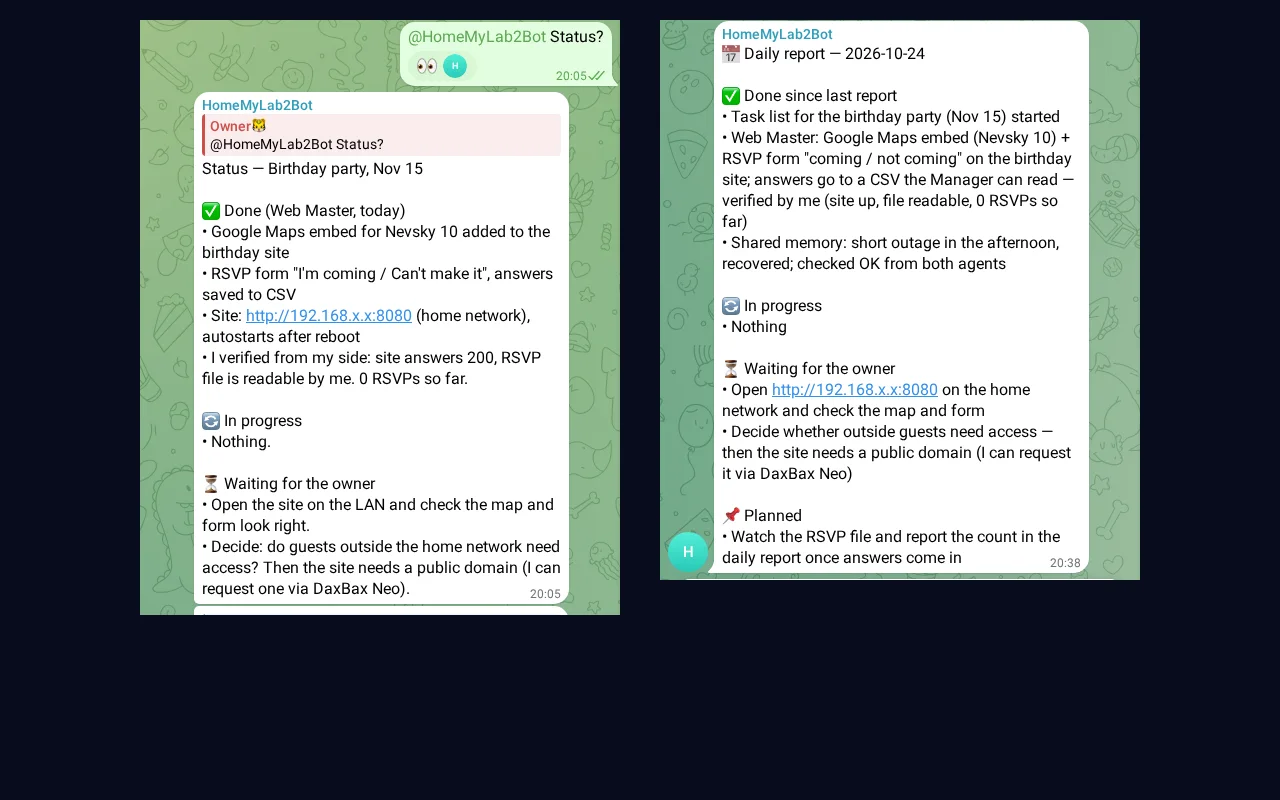
为经理创建 Tasks → New task,工作日 18:00:
Daily report for the HomeLabGroup Telegram chat. Read the shared memory (get_context, and search_memory for tasks and handoffs from the last 24 hours). Post ONE message to the HomeLabGroup chat via the Telegram channel: Done / In progress / Waiting for the owner / Planned - short bullet points. If there is nothing new, say so in one line. Do not do any other work.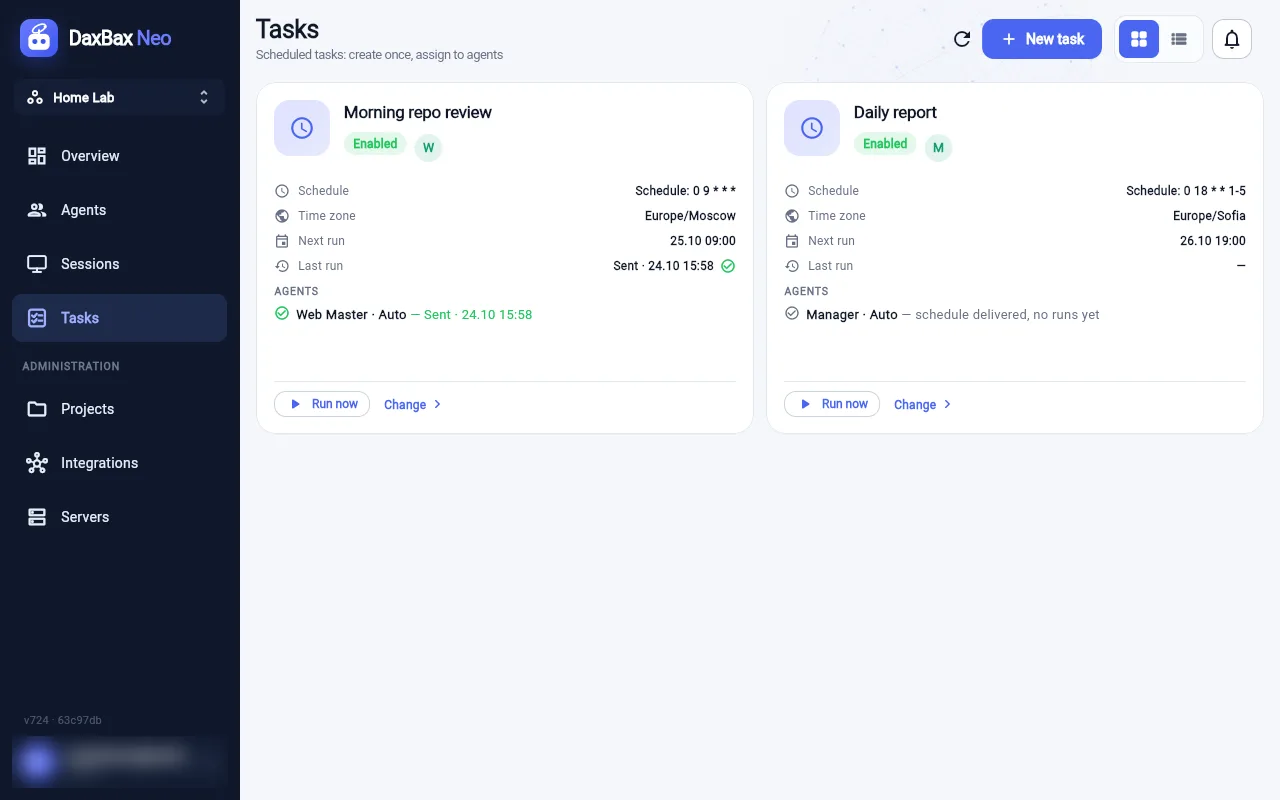
案例 01 的安全网依然有效:当智能体需要管理员权限的命令时,它不会执行 — 而是提交申请,Neo 的铃铛显示“Waiting for you”和完整命令。两位同事,同一条规则。
Telegram 不会把机器人的消息投递给其他机器人。同事们通过共享记忆交换事实;在聊天中由人(或定时任务)来发话。以我们的经验这是优点:人始终在环路里。
不能。每个智能体都是独立的系统用户;它们只通过共享记忆和聊天看到彼此。如有需要,可以特意添加共享文件夹。
对家庭办公室通常够。两个智能体消耗同一订阅的用量窗口,所以繁忙的一天可能让其中一个暂停,直到窗口重置。智能体会在聊天中说明。对团队,给第二个智能体单独的订阅,或为其中一个角色使用 Codex / DeepSeek。
可以,对团队来说这正是推荐的方案:不再依赖一台笔记本的盖子。步骤相同;服务器通过 SSH 连接,而不是 Tunnel。
一切都在 Sessions(它的实时终端)中可见,每条有风险的命令都等待审批,记忆记录带有作者和时间,智能体可在其卡片中一键停止或删除。
你看到的,就是我们为小团队搭建的:角色、机器人或话题、共享记忆、例行任务、一两个工具连接(邮箱、Drive、CRM),并由我们持续支持。两到三个智能体,你的服务器或我们的,任你选。